
Guide · Article 08
Automated analysis & updates
Run an analysis from a ticker or request, then update it as market data changes.
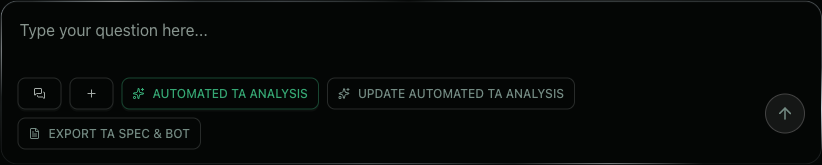
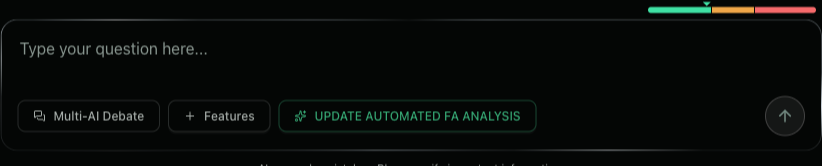
The Technical Analysis, Fundamental Analysis and Macro Analysis Agents have automation buttons right below the chat box.
You don’t need to write a long prompt yourself to ask the Agent to run the whole process.
Automated analysis
Use it when starting a new analysis.
- Open one of the three Agents:
- Technical Analysis (TA);
- Fundamental Analysis (FA);
- Macro Analysis (Macro).
- Below the chat box, click the analysis button for your agent:
- AUTOMATED TA ANALYSIS;
- AUTOMATED FA ANALYSIS;
- NEW AUTOMATED MACRO ANALYSIS
- Enter the stock ticker or the request you want analyzed.
- F68 AI automatically carries out:
fetch data → put the data into the right context → run the Agent’s analysis process → produce the result
Analysis update
Use it when you already have an analysis and new data appears in the market.
- Reopen the exact previous analysis conversation.
- Don’t create a new chat if the goal is to continue the earlier thesis.
- Click “UPDATE AUTOMATED ANALYSIS” below the chat box.
- The agent retains the previous thesis and context, incorporates new data and reassesses:
which theses are strengthened, weakened or invalidated — and what needs to change
When should you update?
Use it when:
- price or market structure changes;
- a new financial report appears;
- new macro data comes out;
- an important price zone is broken;
- a condition in the scenario is triggered;
- you want to know whether the earlier view still holds.
Notes
The Automated analysis / Update automated analysis buttons apply to:
- Technical Analysis;
- Fundamental Analysis;
- Macro Analysis.
The Comprehensive Stock Analysis AI Agent does not display these automation buttons.
The Comprehensive Agent does not use a fixed analysis template like the three specialist Agents above.
Automated analysis helps you start fast.
Analysis update helps you follow one thesis all the way through as the market keeps changing.